Understand your Meniere’s attacks, finally.

Meni helps you see what comes before your Meniere’s attacks. Log episodes and ear symptoms in seconds, see sodium, pressure and hearing tests side by side, and bring a clear report to your ENT. Private by design, no account needed.

Daily log
20s
Data stays
On device
Pattern emerges
4 weeks
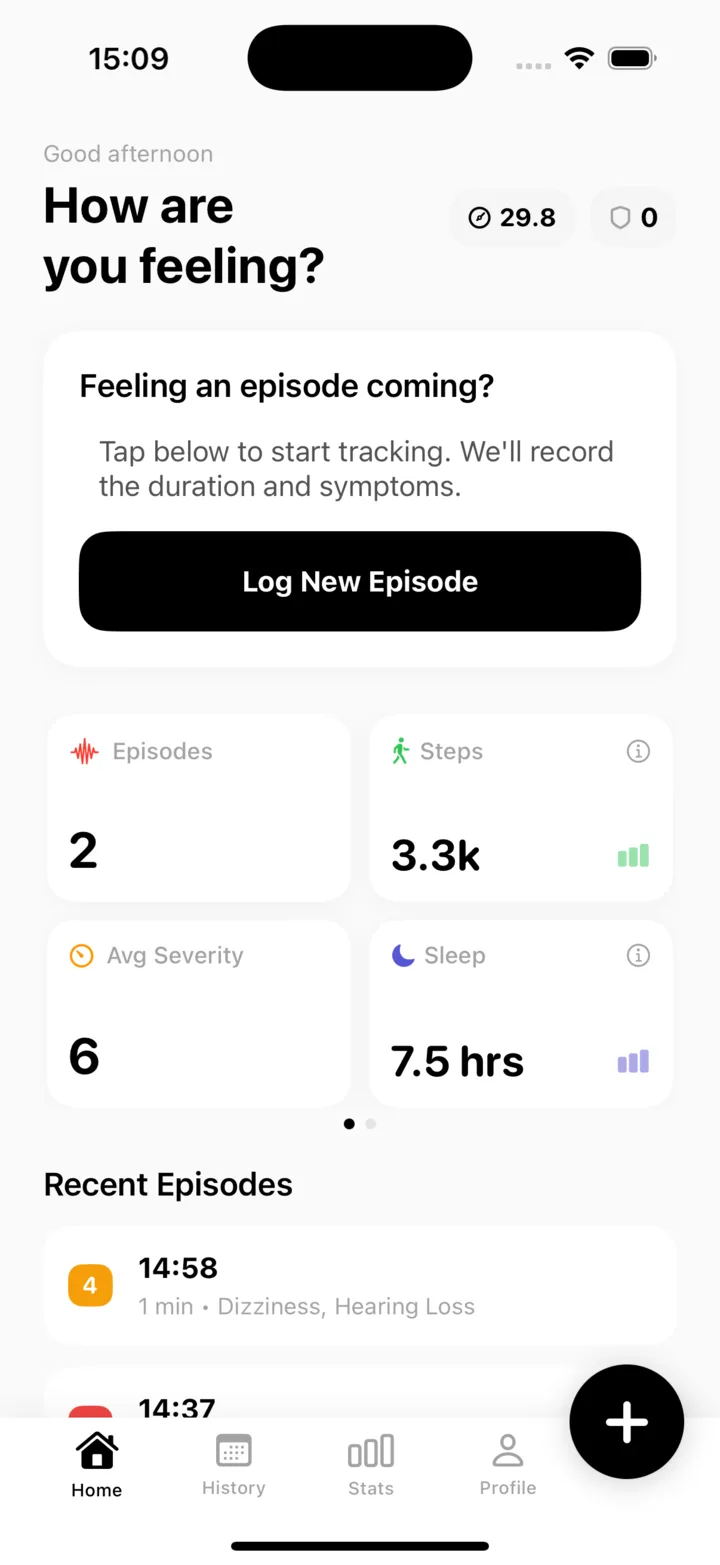
Meni’s home screen, showing today’s prompt, episode count, steps, average severity, sleep, and recent episodes.
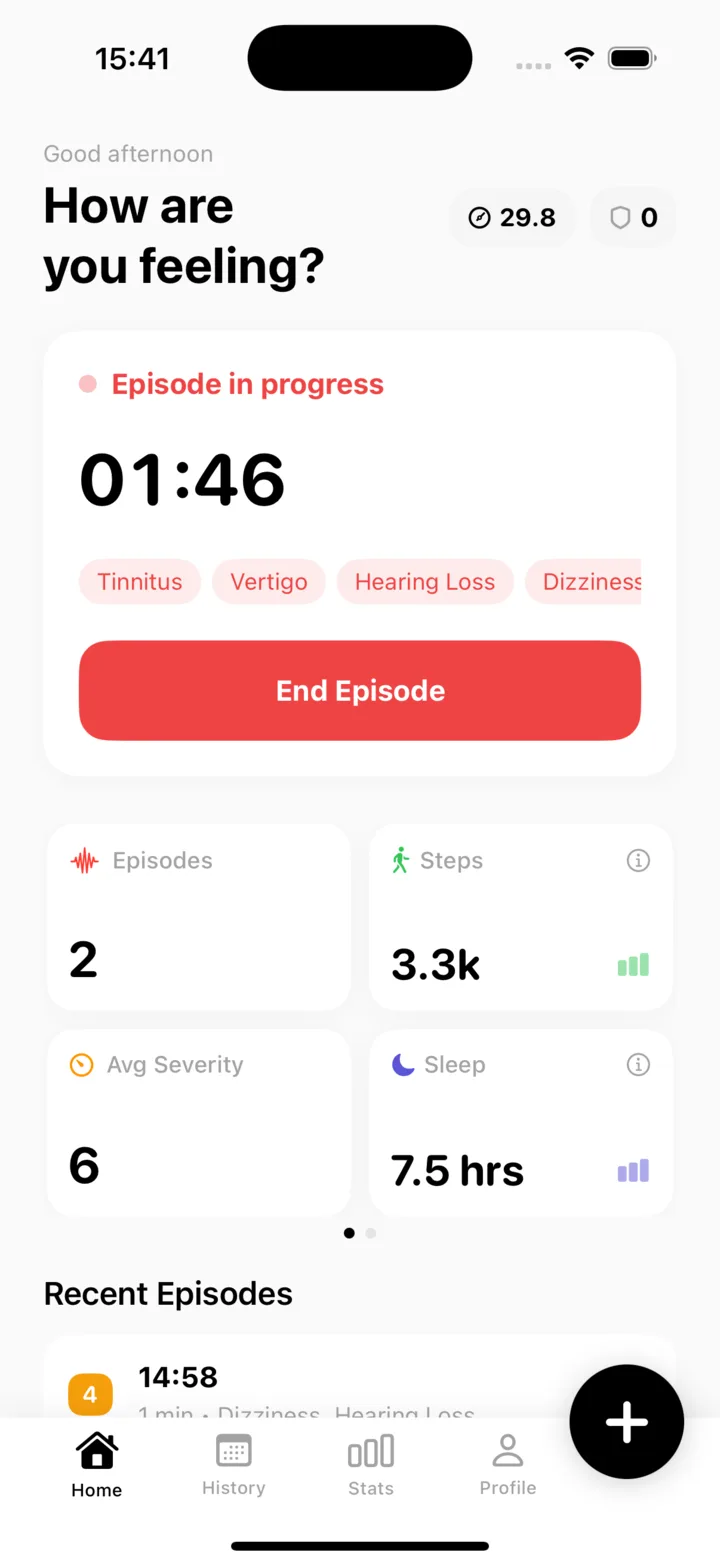
An episode in progress in Meni: a running timer, the symptoms picked so far and an End Episode button.

Everything that matters for Meniere’s, in one place.

Your ears, your sodium, the weather and your hearing tests, side by side with your episodes, so patterns are easier to spot and easier to explain.

  • Ear Check

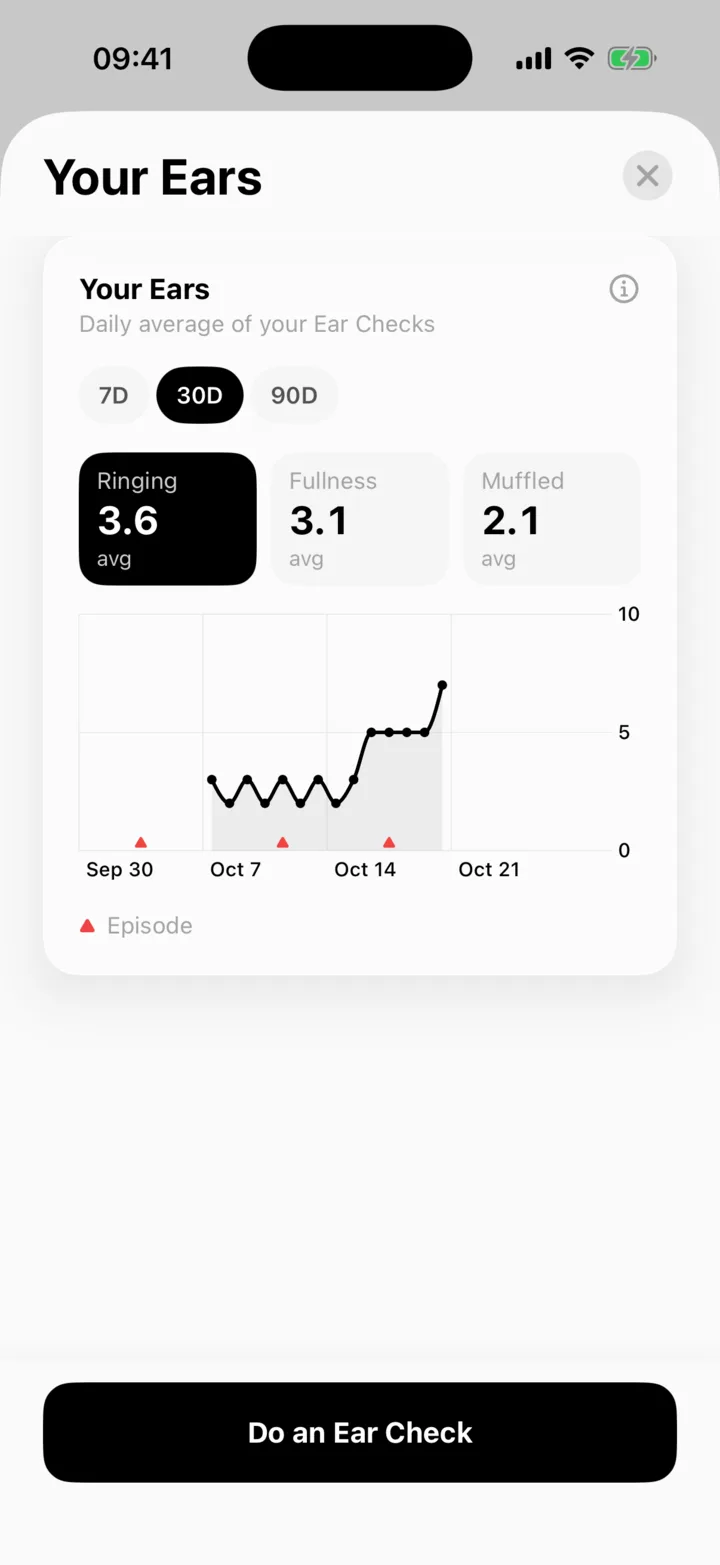
    Rate ringing, fullness and muffled hearing for each ear in a few taps. Meni learns your usual level and shows when today is different.

    Meni’s Your Ears screen: 30-day averages for ringing, fullness and muffled hearing above a chart with episodes marked.
  • Sodium from Apple Health

    If a food app such as Cronometer or MyFitnessPal saves sodium to Apple Health, Meni reads it in and shows when in the day it came. Or log it yourself.

  • 7-day pressure outlook

    Local barometric pressure for the week ahead, with the biggest drop called out. As your log grows, Meni checks whether pressure changes line up with your episodes, for you.

  • Hearing tests from Apple Health

    AirPods Pro Hearing Test results and clinic audiograms saved in Health appear next to your episodes, so you can see low-tone hearing over time.

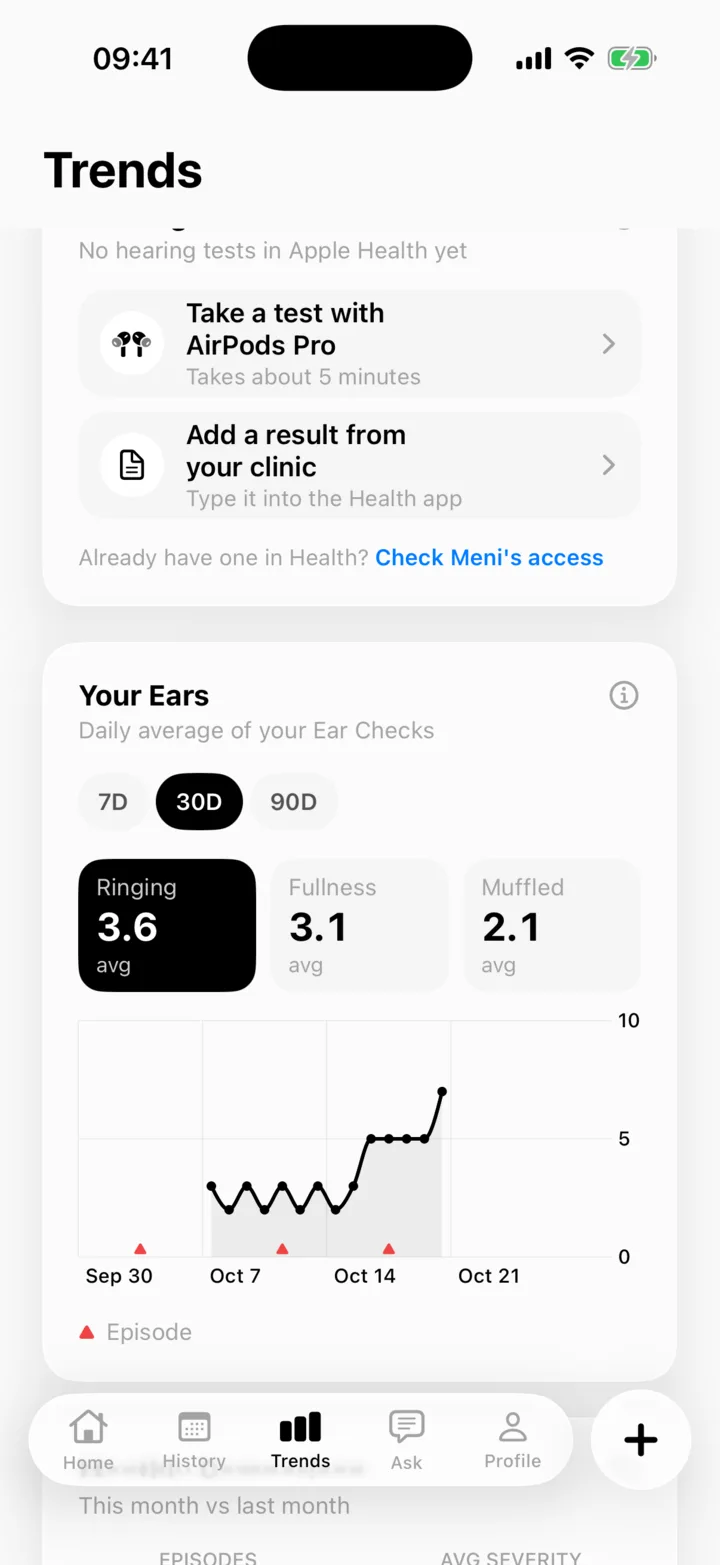
    Meni’s Trends screen offering a hearing test with AirPods Pro or a result from your clinic, above the Your Ears chart.
  • Siri, hands-free

    “Start an episode in Meni” when the room is spinning and the screen is the last thing you want to look at. Ear Checks work by voice too.

  • A report for your ENT

    Episodes, durations, ear symptoms and possible triggers in one clean PDF, ready to share before or during your appointment.

Core tracking is free. Some insights and the PDF export are part of Meni Pro. Meni is a tracking tool, not a medical device, and doesn’t diagnose or predict attacks.

A companion for the slow, real work of finding your triggers.

  1. Log
  2. Learn
  3. Share
  4. Context
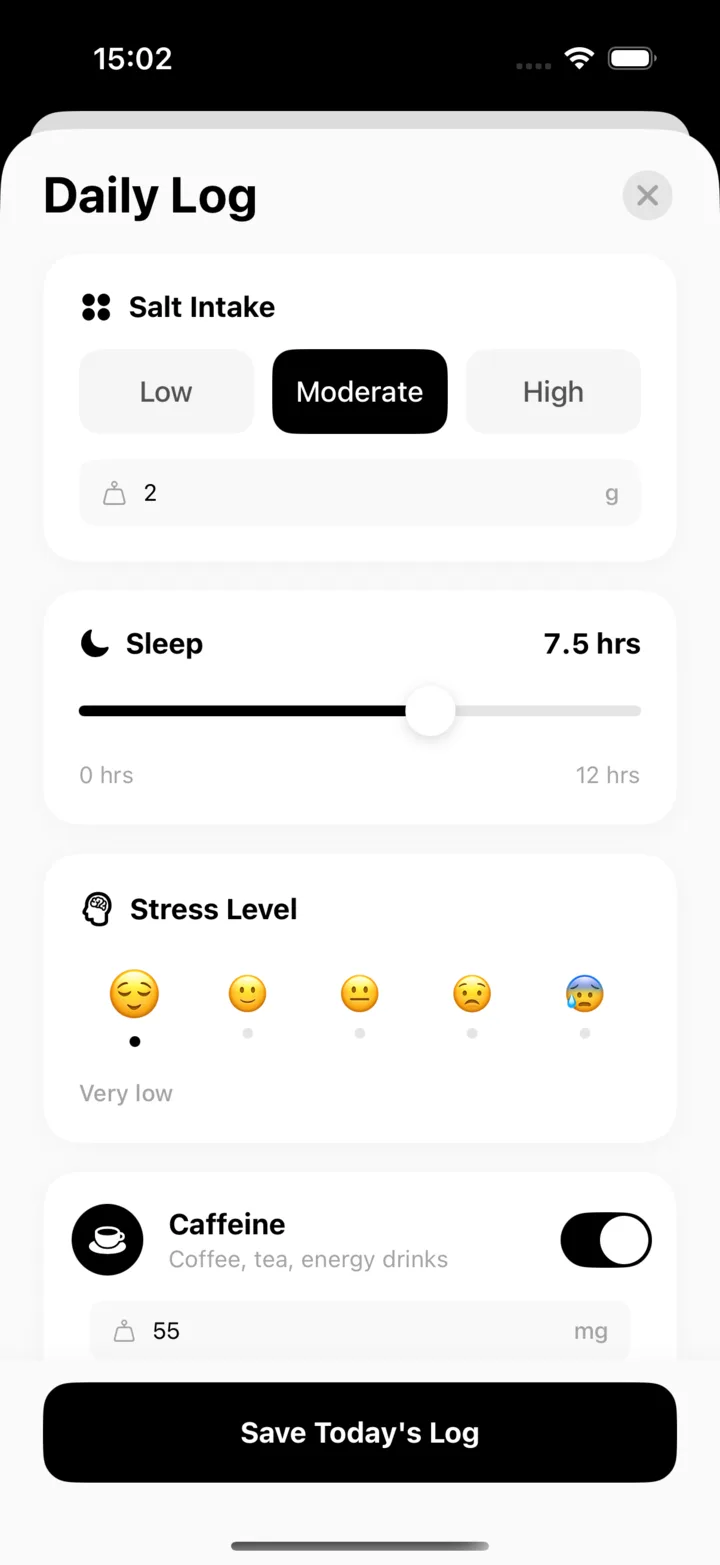
Meni’s Daily Log: salt intake, a sleep slider, a stress scale and a caffeine toggle on one screen.

A daily log that takes twenty seconds

Open the app in the evening, tap a few toggles, and you’re done. The app captures pressure, sleep, stress, salt, and caffeine on every entry, so the boring fields you’d skip on paper are handled for you.

  • Salt, sleep, stress, caffeine in one screen
  • Automatic weather + pressure capture
  • Emoji scales that respect how you feel
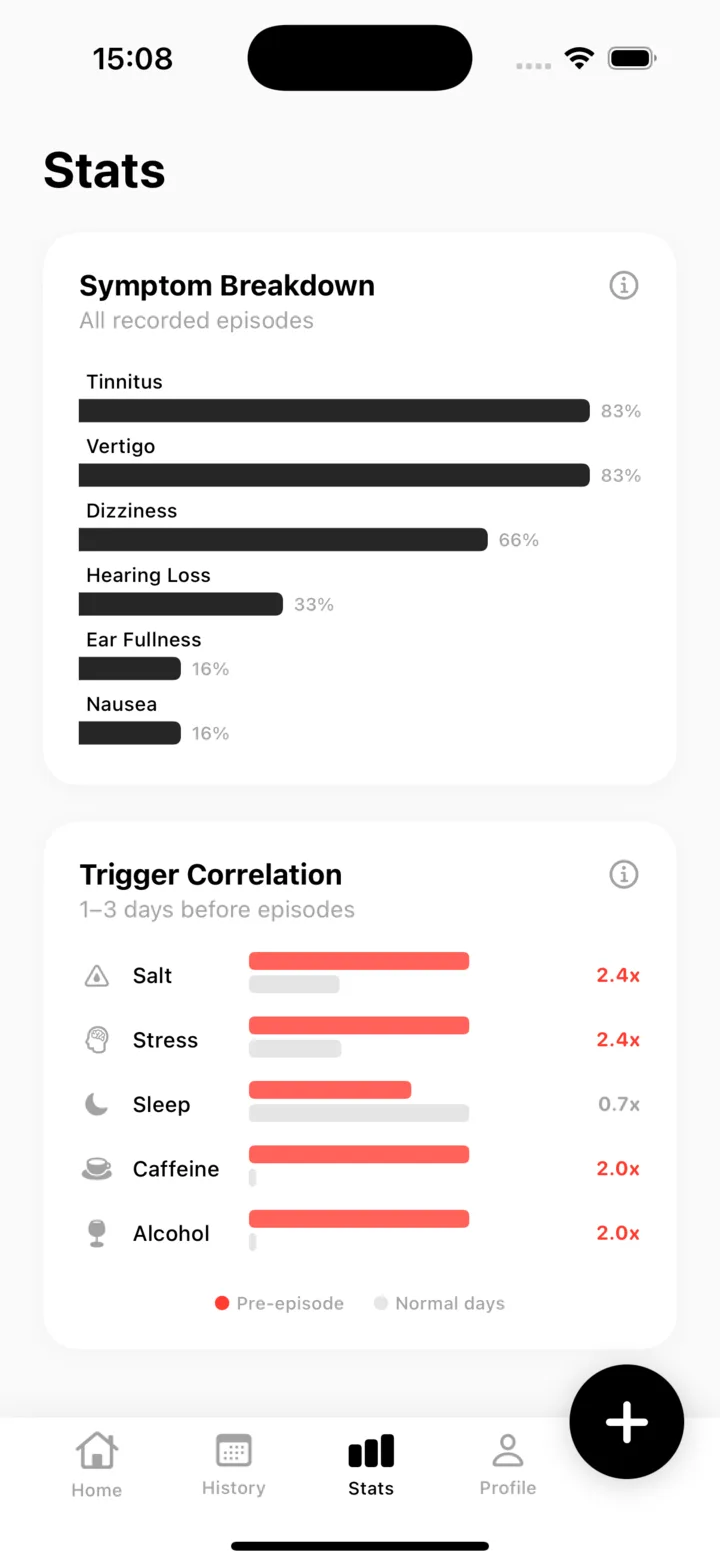
Meni’s Stats screen: a symptom breakdown across recorded episodes and a trigger correlation chart for the days before them.

Your personal pattern, surfaced as it emerges

Most patients can’t spot trigger combinations by eye. The app can. It compares the 72 hours before every attack to your normal days and shows which factors stack. After about four weeks, your pattern becomes unavoidable.

  • Trigger correlation: how each factor shifts your risk
  • Symptom breakdown across every logged attack
  • Weekly pattern digest delivered quietly
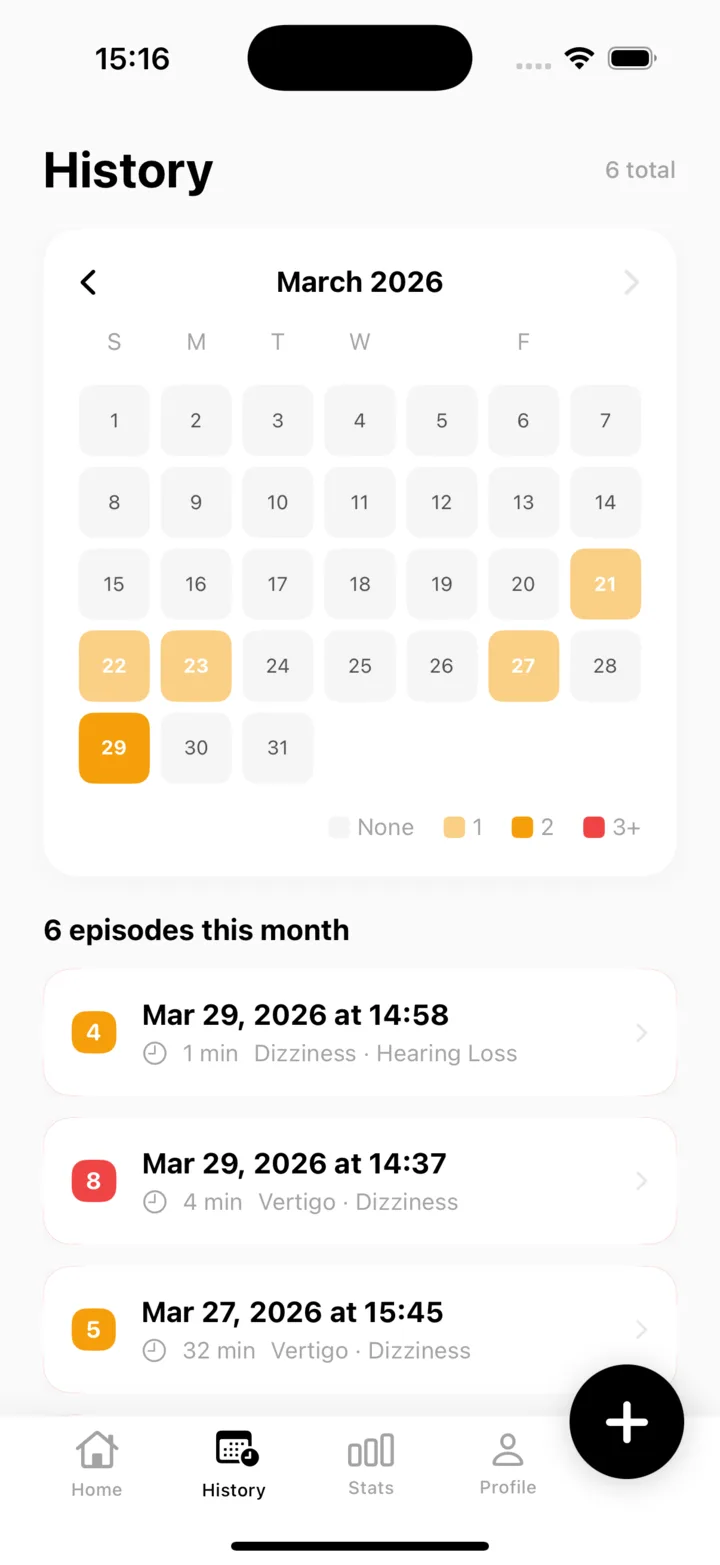
Meni’s History screen: a month calendar with episode days marked and the list of episodes that goes into the report.

Walk into your ENT visit with a real report

Severity trends, attack history, and trigger summaries exported as a single clean PDF. One tap. Hand your doctor a document that shifts the visit from “keep tracking” to “let’s decide”.

  • One-tap PDF with charts and tables
  • Monthly and quarterly views
  • Optional CSV for your records
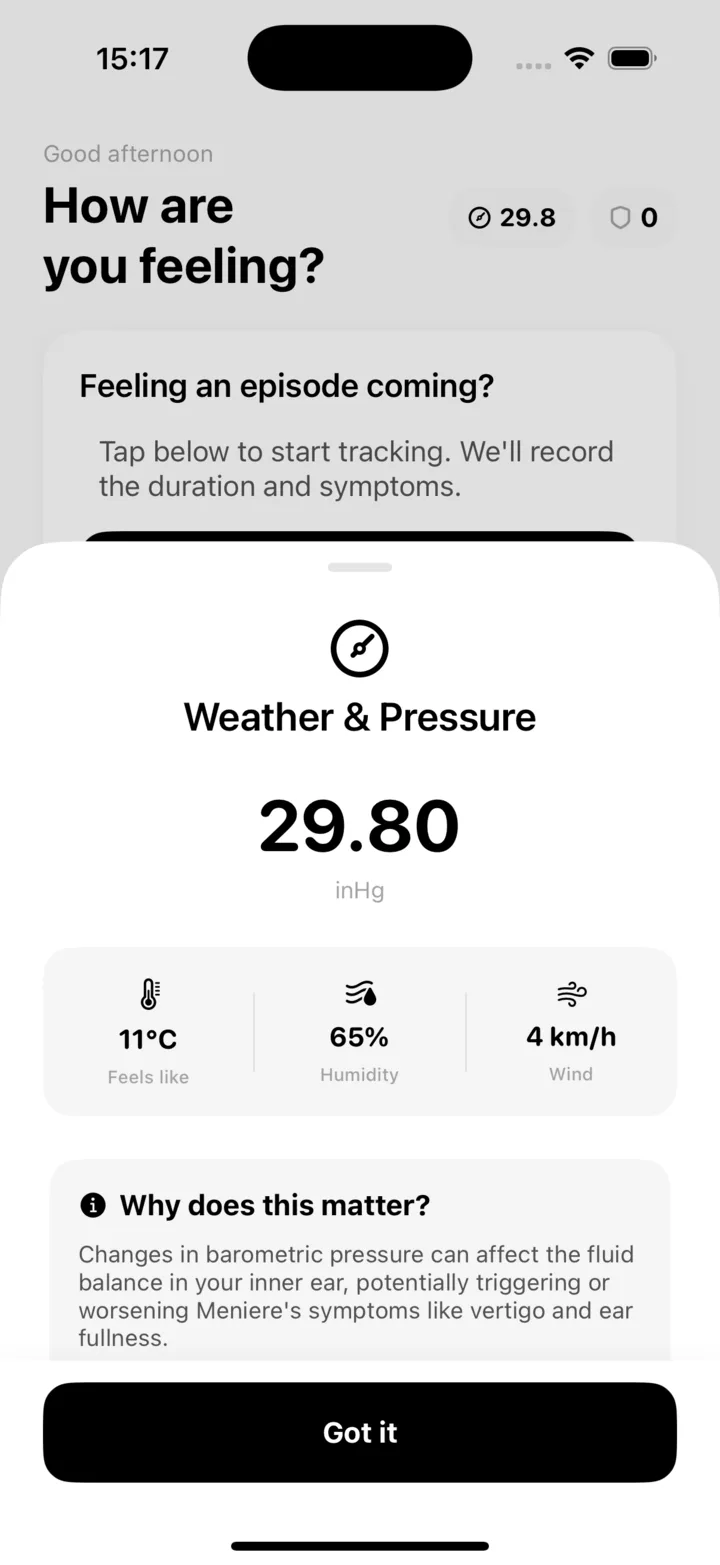
Meni’s Weather and Pressure sheet: the current pressure in inHg, temperature, humidity and wind, and a note on why it matters.

Barometric pressure, weather, and why they matter

Most weather apps tell you the temperature. The app captures local pressure, humidity, and wind on every entry, plus a gentle explanation of how those readings interact with Meniere’s fluid balance. You learn what’s happening, not just what to track.

  • Live pressure in inHg or hPa, your choice
  • Humidity, wind, and feels-like temperature
  • Plain-language notes on why each reading matters

Four weeks to a pattern. Three months to a protocol.

  1. Day 1

    Start logging

    Install the app and tap one button each evening. The first few entries take under a minute and build the baseline your pattern will be measured against.

  2. Week 2

    The signal appears

    Two weeks in, the app begins surfacing candidate triggers: single factors and combinations that recur before your attacks. It’s still noisy, but you see the first shape of your pattern.

  3. Week 4

    Your pattern is clear

    By the fourth week, combination triggers stabilize. You’ll know which two or three factors stack before an attack for you, specifically, not the generic list every patient gets.

  4. Month 3

    Protocol, not guesswork

    With three months of logs you’ll have a working protocol, data to bring to your ENT, and, for most patients, a measurable drop in attack frequency.

New to tracking? Start with the handbook.

A ten-page PDF written for newly diagnosed patients. The 50 triggers worth watching, the 30-day method that finds your combination, an emergency attack plan, and the twenty doctor-visit questions that shift the conversation. Works on paper, pairs with the app later.

Read the handbook
Cover of The Meniere’s Pattern Handbook, a 30-day field guide for patients.
Free PDF, 10 pages, with a tracking template.

Frequently asked

  • Yes. Meniere's: Symptom Tracker is free to download and use. The core daily log, trigger tracking, and barometric pressure context are all included with no account and no paywall. Optional advanced pattern insights are available as an in-app upgrade.

Start tracking. The pattern shows up by week four.

Free to download, private by design, built with the Meniere’s community in mind.

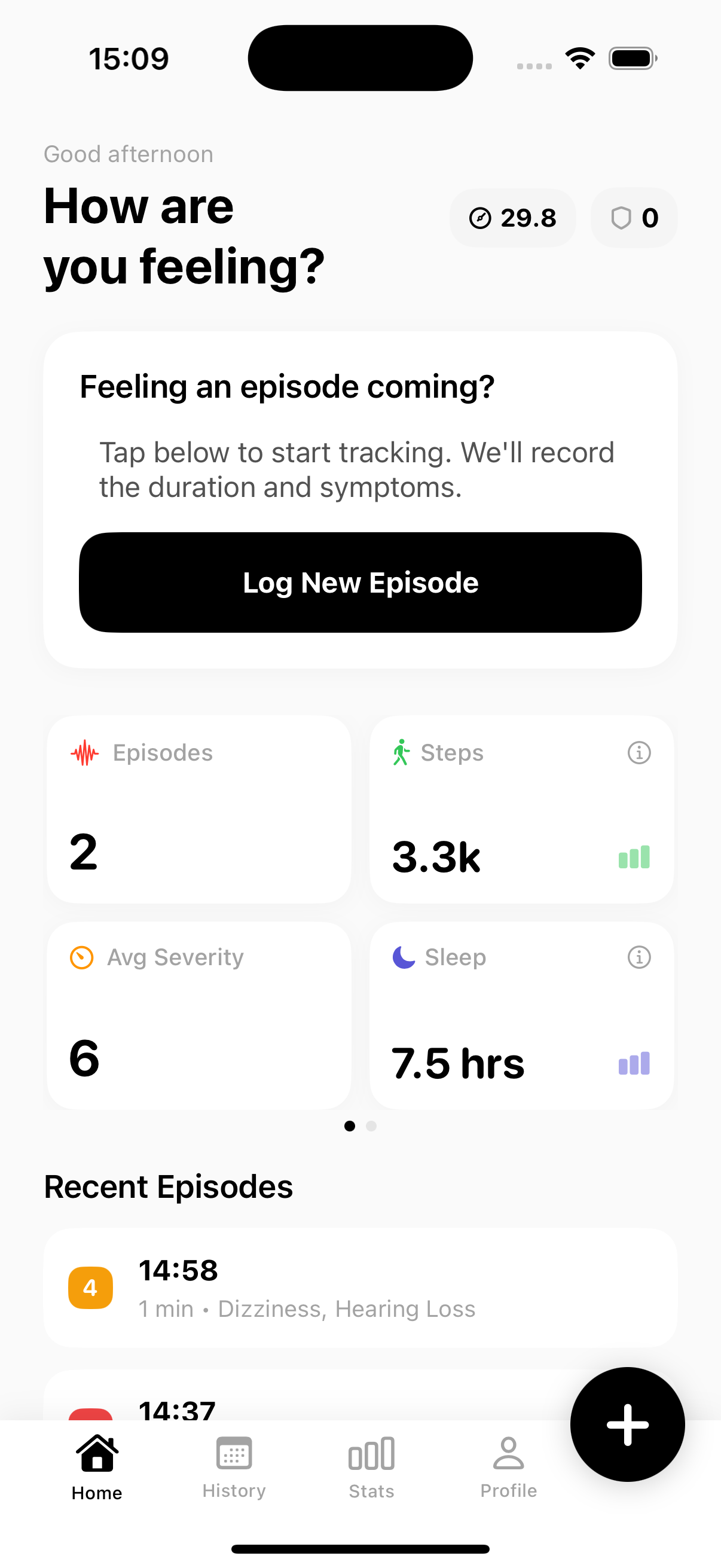
Meni’s home screen with the Log New Episode button.